
Underneath the surface of OEM product agreements, there lies a tacit acknowledgement on the part of bigger vendors of the skill and expertise of smaller, often niche, developers. Although it is not something to be spoken out loud in the corridors Telecoms power, what white label really says is - you can do this better than us.
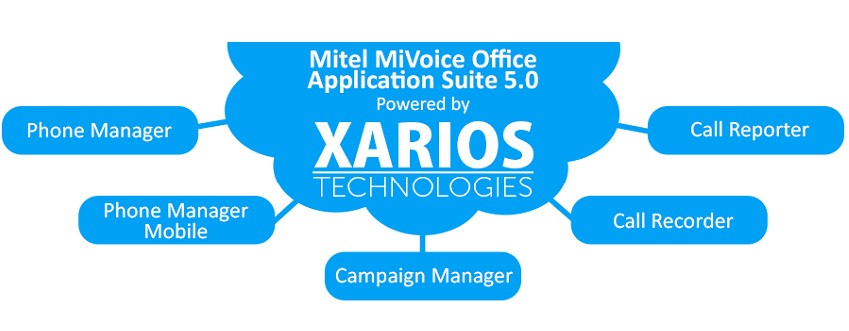
It is a model which has served specialist software developers like Xarios Technologies well. Amongst a variety of telecoms products it has created, Xarios produces five applications licensed by Mitel which form the MiVoice Office Application Suite 5.0. One of these is the Xarios Call Recorder.
Marketed as the Mitel Office Call Recorder Small Business Edition (SBE), the addition of the ‘SBE’ tag reflects the fact that Xarios focuses mainly on developing applications for the SME market. However, in a recent interview with this website, Xarios MD Chris Harris was at pains to stress that Xarios products were built with enterprise-class features and performance in mind, just with the value and functionality to suit smaller businesses - a way of ‘levelling the playing field’ for SMEs.
In this review, we will have a look at what the Xarios Call Recorder can do and whether it does indeed scale enterprise standard performance and quality for smaller clients.
Please bear in mind that the opinions expressed in this review are those of the author only. UC Today is an independent news resource for the UC market and does not endorse, market or have any role in the sale of any product.
How Does It Look?
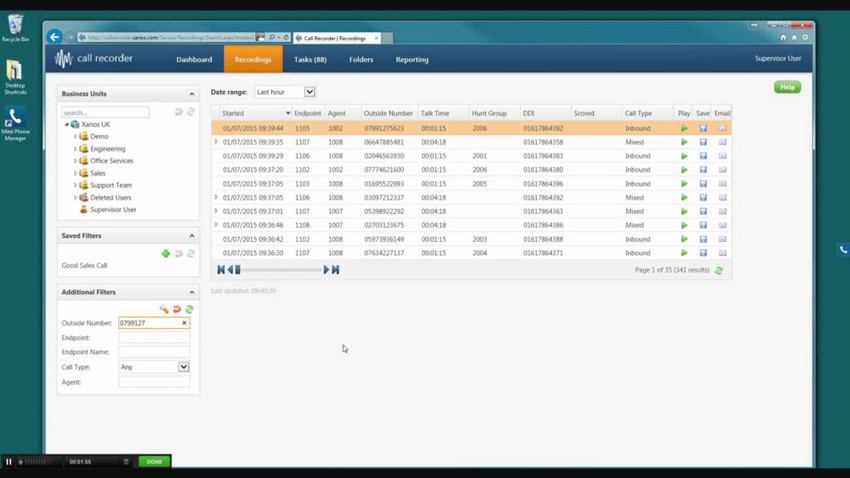
The Xarios Call Recorder uses a web-based interface which is built around the standard Windows design and layout. In record log view, there is a main window containing a list of all recorded calls, which can be viewed by date range. To the left are windows showing search filters and business units, i.e. which part of the business you want to access calls from.
In playback mode, at the bottom of the screen there is an audio playback bar, with play, pause, forward and back buttons, plus options to adjust volume, speed and balance. You can use the visualiser to click and drag to any point in the recording, and to do basic editing. Above this are tabs to display call details or the call audit trail.
What Can It Do?
Xarios Call Recorder is a call recording and retrieval platform available as part of the Mitel MiVoice Application Suite 5.0, and therefore operates as a trunk or extension side call recorder with the Mitel MiVoice Office 250 phone system. It is licensed as a standalone platform within the MiVoice Application Suite, so customers can choose to add it as and when required.
The platform can record both inbound and outbound calls, and can be linked to endpoints at multiple locations, including remote and home workers. Up to eight calls can be recorded simultaneously, although this can be upgraded up to a maximum of 250. There is no limit to the number of users you can connect to the recorder.
All recordings are ‘cradle to grave’, and include any and all transfers or references to other agents. These are indicated in recordings by distinct segments, making them easier to identify and search for individually.
Control settings can be used to exclude certain calls from recording, for example internal calls to management or the finance department which may capture sensitive information.
Recordings can be stored indefinitely, or the system can be configured to delete them after a fixed amount of time. As with other data storage options, customers have the option to back-up or archive recordings in a variety of ways, including offsite or in hosted environments.