
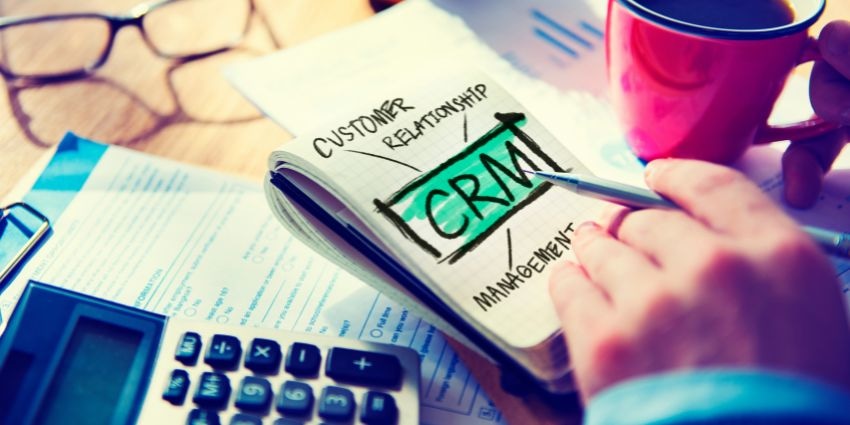
Finding the best free CRM for small business use is tricky but not impossible. In today’s world, virtually every business (large and small) relies on CRM technology to manage and optimize customer relationships. 91% of companies with ten or more employees use a CRM.
But many smaller companies don’t have the budget to invest in cutting-edge solutions. That’s why many CRM market leaders offer free versions of their software for beginners.
While these platforms aren’t as innovative or feature-rich as premium CRM systems, they offer a great starting point. The right free CRM can give you the insights and evidence to make a business case for a more advanced alternative.
Based on our hands-on reviews of hundreds of CRM providers and systems, we’ve created this guide to help you find the best free CRM for small business owners.
What Makes the Best Free CRM for Small Business?
The best free CRM for small business owners will be a solution that offers excellent functionality, ease of use, and intuitive data insights without the cost. Notably, no free CRM will include all of the latest capabilities for customer relationship management.
You might need to compromise on some things, like generative AI for customer follow-up and content creation or customer journey mapping. However, you should still be able to access:
- Contact and sales management: All CRM tools need to help you track contacts and monitor the flow of leads in your business. A free CRM should allow you to store plenty of contact details, create customer profiles, and create at least one visual sales pipeline.
- Intuitive tools: Simplicity is crucial when choosing any great CRM. Visual dashboards, straightforward segments, and automation tools are essential. You should be able to track deals, add new contact details, and create reports in seconds.
- Reporting and analytics: While the insights you get from a free CRM may be limited, they should still help to drive better business decisions. Ensure you can access insights into crucial CX metrics, employee performance, and overall business health.
- Integrations: The more data your CRM has access to from your contact center, customer feedback tools, ERP systems, workflow management tools, and more, the better. Look for a flexible solution with integrations or an open API.
- Valuable Features: Any extra valuable features, such as internal team collaboration tools, project management, or marketing tools, can be very valuable in a free CRM. Remember, you may need to upgrade to access the complete feature set.
10 of the Best Free CRM for Small Business Options
To create this list, we signed up for the free version of every solution we reviewed to assess the functionality, ease of use, and overall potential for positive CX impact. We’ve excluded CRM solutions that offer a “free trial” but no forever free plan.
1. EngageBay: The Best all-in-one free CRM
The free plan includes 250 contacts, email marketing (autoresponders, broadcasts, and sequences), lead grabbers, landing pages, contact management, helpdesk, and live chat.
EngageBay is more than just a “CRM” solution. It’s a complete toolkit for customer engagement. The all-in-one platform empowers marketing, sales, and support teams with an easy-to-use ecosystem packed with valuable tools. You can manage contacts and deals, automate sales cycles, and even schedule appointments in one environment.
Plus, there are tons of tools for marketing automation (building forms and landing pages), building your own help desk, and even delivering self-service via live chat. Everything is exceptionally straightforward, from adding and segmenting contacts with filters to creating automated workflows. Plus, the visual sales pipeline comes with drag-and-drop capabilities for easy customization.
You can connect EngageBay to ecommerce platforms, email marketing tools, and other crucial business software through integrations. There are also many useful dashboards for tracking insights and analytics – even on the free plan.
Pros:
- Exceptional ease of use
- Marketing and promotion tools on the free plan
- Included a help desk and live chat
- Convenient automation capabilities
- Visual sales pipelines
Cons:
- Limited contacts
- No SMS, lead scoring, or advanced integrations
2. Bitrix24: The best free CRM for small business scalability
The free plan includes 5GB storage, unlimited contacts, essential collaboration, task, project, and CRM management tools. Digital signing, contact center integrations, and a website builder
Similar to EngageBay, Bitrix24 isn’t “just” a CRM. It’s an all-in-one business app where you can collaborate with your team, manage workflows, and create your own website. Unlike most of the best free CRM for small business options, this tool allows you to manage unlimited contacts.
It also comes with built-in collaboration and project management capabilities, electronic signatures, and a range of integrations with leading tools like Google Drive and Microsoft 365. Compared to some of the solutions we reviewed, this one has a slightly higher learning curve.
The interface is clean and straightforward, but it takes time to figure out how to customize everything, from your contact profiles to your sales pipelines. Plus, you get some handy extra features, like automated notifications and excellent analytics. The reporting page can show insights into team performance, activity reports, and more.
Pros:
- Excellent collaboration features for distributed teams
- Unlimited contacts on the free plan
- Comprehensive integration options
- Included cloud storage
Cons:
- Slight learning curve for beginners
- Slow customer support on free plans
3. Zoho CRM: Best AI-powered free CRM
The free plan includes Support for three users and 5,000 records. Lead and contact management, deal, and account management, including AI capabilities.
Zoho CRM is one of the best CRM solutions for small businesses overall. It’s easy to use, convenient, and packed with customization options. You can integrate the tool with the solutions you use every day, such as Google Workspace and Microsoft 365.
Plus, the CRM works seamlessly with all of Zoho’s other tools for collaboration, project management, and help desk organization. You can click on your contacts and access a comprehensive view of all their data in seconds. You can also add notes about the best times for meetings and calling.
Zoho CRM also has impressive reporting capabilities, with options for custom reports and 60 pre-made templates. Though the free plan does have some limitations on users, contact records, and integrations, it does include access to some of Zoho’s AI tools.
Pros:
- Easy to use for beginners
- Advanced features (like AI) on free plans
- All-in-one support for sales, marketing, and service
- Customization and integration options
- Excellent security and compliance capabilities
Cons:
- Not ideal for businesses with more than three users
- Record management can be complex
4. HubSpot CRM: Best free CRM for small business integrations
The free plan includes Unlimited contacts and users, email marketing and SEO recommendations, custom user permissions and management, email scheduling, deal tracking, and more.
HubSpot offers one of the most comprehensive CRM solutions for budget-conscious companies. The free plan has unique features for marketing, sales, and service teams. You even get tools to help you manage your commerce activities and day-to-day operations.
Generative AI tools are built into the ecosystem, along with end-to-end automated workflows and fantastic reporting capabilities on every plan. Plus, you can manage unlimited contacts and users, even on the free plan. HubSpot integrates with more than 800 business tools, making sharing data between your apps easy. Plus, you can even create customized reporting dashboards.
While there’s only support for one sales pipeline in the free plan, you get many more features here than you would from most of the best free CRM for small business platforms. That includes access to ticket management, chatbots, and website traffic analysis.
Pros:
- Comprehensive marketing, sales, and service features
- Intuitive dashboards and analytics
- AI tools, even on the free plan
- Templates and step-by-step guides for beginners
- Extensive lead scoring and management
Cons:
- Slight learning curve for beginners
- Expensive paid plans
5. Capsule: Best for CRM and Project Management
The free plan includes All of the platform's basic CRM and project management features for two users and 250 contacts.
While Capsule CRM isn’t quite as feature-rich as some of the other best free CRM for small business options on this list, it does have a unique benefit. If you want to cut costs by accessing project management and CRM tools in one system, this is the platform for you.
The interface is incredibly user-friendly and easy to navigate. When managing projects, you can access calendar views, list views, Kanban boards, and “daily dashboards.” Plus, the free plan also includes a Kanban-style sales pipeline. This shows you pipeline forecasts, status tags, conversion rates, and other metrics.
Capsule integrates with various tools through Zapier, and even the paid plans are relatively affordable, starting at $14 for 30,000 contacts. The biggest downside is that your ability to access and manage contacts will be limited on the free plan.
Pros:
- User-friendly interface for beginners
- Integrations with various business tools
- Excellent automation options and notifications
- Included project management tools
- Powerful analytics and reporting
Cons:
- Very restrictive on users and contacts
- Slightly slower customer support
6. Vtiger: Best free open source CRM
The free plan includes Support for ten users, 3,000 customer records, contact management, email and phone integrations, internal collaboration, project management, and marketing tools.
Vtiger is one of the best free CRM for small business options if you’re searching for flexibility. The open-source solution allows you to customize your experience to your specific needs with various unique modules. You can leverage marketing, sales, and service tools to suit your needs.
Plus, there are many tools for simplifying your workflows, like automated workflow builders, AI tools, and analytics. We particularly love how easy it is to get started with the platform. Once you create an account, you get a comprehensive onboarding checklist to walk you through the system.