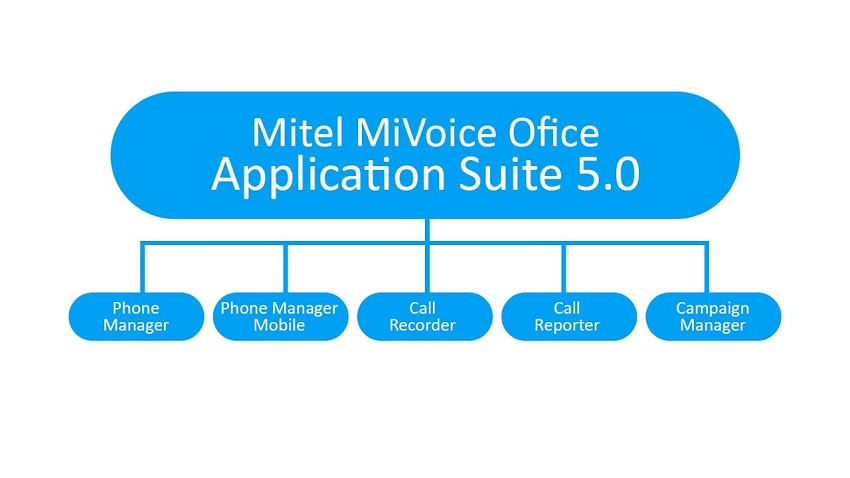
Mitel has released their latest in call-recording marvel, MiVoice Office Call Recorder 5.0. The new MiVoice Office Call Recorder comes built-in to the latest MiVoice Office Application Suite and can be switched on and ready to work in just a matter of minutes.
Mitel’s OEM partner Xarios have developed the new Call recording solution specifically for MiVoice Office 250 phone systems, so if you’re operating one of these in your office then call recording isn’t too far away.
As stated, the MiVoice Office Call Recorder is a module of the MiVoice Office Application Suite and is designed to do exactly what it says on the tin – call recording.
The call recorder offers ‘Extension-side’ recording only, allow us to explain why…
What is Extension-Side Recording?
Telephone calls are recorded when they are in progress at an extension on the telephone system. Internal calls can be recorded, including transferred calls to internal extensions or groups.
Crucially, calls are not recorded when they are on hold, waiting in auto attendant menus or call queuing systems. In addition, calls that come inbound and are subsequently transferred out to external numbers are not recorded either.
Extension side recording is becoming very popular nowadays because it’s easy to deploy and lower cost than trunk-side recorders (less hardware required).
Benefits of Trunk Side Call Recording
Calls are recorded on the external trunk lines (SIP trunks, ISDN lines) going into the telephone system. Trunk to trunk calls are recorded. Calls that are queuing or on hold are recorded. However, internal calls and transfer legs are not recorded.
Licences & Editions explained
There are two options to choose from. The MiVoice Office Call Recorder provides extension-side recording using TWO methods of recording calls:
- Record-A-Call
- IP/SIP Extension
Licences - There are 2 types of MiVoice Office Call Recorder license available:
- Small Business - These licenses can be used for both recording methods listed above, depending on the customer’s requirements. Maximum of 8 licenses per system.
- IP/SIP Extension - These licenses can be used for IP/SIP Extension recording only. Maximum 250 licenses per system.
How does it work? (slightly technical)
Record-A-Call - The clever coders over at Xarios have tapped into the Mitel phone system’s API in a new way that we’ve not seen before using the ‘record-a-call’ feature. According to Xarios’ Technical Director Robin Russell, the MiVoice Office Call Recorder is connected to the MiVoice Office 250 as a SIP Voicemail (MiVO 250 SIP Voicemail licenses included) and records audio traffic by the system creating a conference between the call in progress and the MiVoice Office Call Recorder server. This can be used on all extensions except devices using the SIP extension license.
IP/SIP Extension - The recorder monitors your network traffic and records the voice packets floating about on your office network. It uses a switching feature called ‘port mirroring’ which your IT guy should understand.
Best Features - Mitel Call Recording
For those of you that have managed a call recorder, they can be a pain from an IT Manager’s perspective. Common issues across manufacturers include problems with memory, PCI-compliance (for companies that take card payment details over the phone), and issues with archiving. However, The MiVoice Office Call Recorder solution helps you to overcome many of the common issues of recording with a comprehensive service. Some of our favourite benefits include: